SILENT HILL: Townfall CRTV Guide — Tuning, Stored Signals & Monster Tracking
Published 2026-09-236 min read
Master the CRTV in SILENT HILL: Townfall: how to tune the white bar, time the Store Signal input, replay vignettes, track monsters through walls, and use haptic alerts.
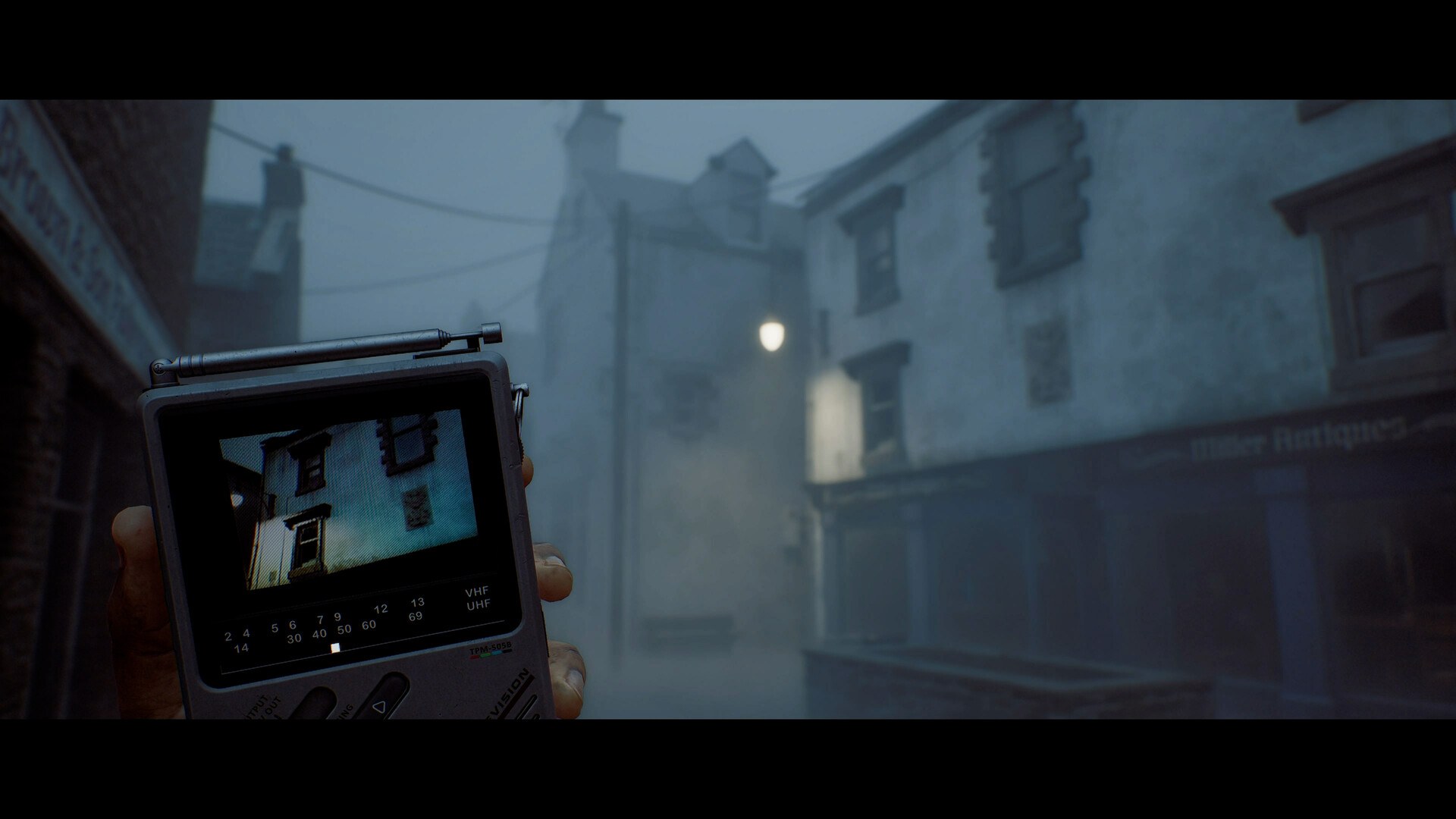
The CRTV — the clunky handheld TV Simon carries — is the single most important item in SILENT HILL: Townfall. It replaces the series' radio static with a visual radar, doubles as a navigation compass, and unlocks several puzzles. This guide covers every way the game uses it.
What the CRTV does
In classic Silent Hill, a pocket radio crackles when monsters approach. Townfall takes that idea visual: the CRTV is a handheld television you tune to different frequencies to see the positions of nearby enemies — including ones you cannot see with your own eyes. It also plays stored signal vignettes that tell story fragments, highlight interactive objects, and point toward where to go next.
The controls that matter
- Hold L1 to raise the CRTV in front of you while moving — you keep both the device's screen and the street ahead in view at the same time. This is the correct way to traverse any hostile area.
- Haptic pulse: the DualSense controller gives a haptic pulse when a new enemy is near — even when the CRTV is down. Treat it as your passive radar and raise the device immediately.
- Tuning: align the white bar over the yellow pips. Static kicks into high gear; after a couple of seconds the fine-tuning bar appears.
- Store Signal: as the yellow diamond zips across the fine-tuning bar, press the Store Signal input the moment it overlaps the yellow-and-black rectangle. Timing matters — a sloppy press wastes the scan window.
The four jobs of the CRTV
1. Threat radar
Tune the device and follow the directional markers on its screen to reveal entities you cannot otherwise see — through walls, fog and dark. In the game's first stealth tutorial (the caged corridor in Part 1), staying still by the elevator doors while scanning keeps you safe as several entities pass. That lesson is the whole game: when in doubt, stop and scan.
2. Navigation compass
Stored signals "vaguely suggest the next direction and/or location to head toward." When the fog town stops making sense, replay your signals before wandering — Townfall rarely strands you; it just expects you to check the screen.
3. Puzzle interface
Several locks are solved through CRTV vignettes. The first major example: in the Room 204 puzzle, three stored signals deliver a calendar day (18), a circled month (January) and a year (1996) — which assemble into the ring-lock code. When a vignette highlights an object or shows you a document, assume it is half of a puzzle solution and write it down.
4. Story delivery
Zoe — the nurse whose voice calls Simon back to St. Amelia — reaches him through the CRTV. Replaying signals is optional; missing them means missing the story. Watch every vignette you store.
Habits of a good CRTV player
- Scan on arrival. New area = tune first, walk second.
- Scan before crossing open ground. The newsagent run in Part 1 is the training ground: track the creature, cross when it is furthest away.
- Rescan after every set piece. Entities move; yesterday's clear road is today's gauntlet.
- Use it with peeking. The CRTV plus the R1 lean (see the stealth guide) is the full detection toolkit.
- Play with headphones. The haptic pulse and the 3D audio cues are calibrated together — the device's screen confirms what your ears suspect.
Critics flagged Townfall's stealth-heavy stretches as demanding — the review roundup has the details — and almost every one of those sequences is manageable once the CRTV becomes reflex. Learn it here and the fog stays scary instead of unfair.